Clean a CSV with AI without losing a row
Have the AI suggest the fixes instead of handing back your file. A script applies them, checks the row count and totals, and you approve before it's written.
Have the AI suggest the fixes instead of handing back your file. A script applies them, checks the row count and totals, and you approve before it's written.
Here are a few columns from a sample order export, a scenario of 40 orders from a small online store.
Order,Ship City,Ship State,Items
#1041,Brooklyn,NY,3
#1042,Oakland,Calif.,2
#1043,Rochester,N.Y.,5
#1046,Ithaca,new york,2
#1047,San Diego,CA ,6
#1048,Pittsburgh,Penn.,9
#1049,Sacramento,California,1The Ship State column spells the same few states every which way. The obvious move is to paste the file into an AI chat and ask for a clean copy. What comes back will look right, and on the sample's 40 rows you could check it by eye, but on a year of orders you couldn't. Nothing in a pasted-back table proves every row made it.
Let the AI suggest the fixes. Don't let it hand back the rows. Have it return a list instead (this spelling becomes this code) and hand the list to a script. The script applies the list to every row and counts. Then you read the list before anything is written. A tidy table from a chatbot is a claim you can't check by eye, while a row count and a column total are checks a script makes the same way every time.
The chat reply can't carry that proof. Anthropic's own docs say even the most advanced models "can sometimes generate text that is factually incorrect or inconsistent with the given context". A reply also has a length limit, and can stop there before the table is done. A 2023 benchmark found GPT-3.5 and GPT-4 "far from perfect" even at saying how many rows and columns a table has. And a missing row is quiet in any tool: in 2013, a spreadsheet error left Australia, Austria, Belgium, Canada and Denmark out of a famous economics paper's averages, and it came to light when other researchers redid the work.
The script checks that:
Because the script compares every row of the output with your file, a lost, added or changed row can't get past it unnoticed.
The idea isn't Roscoe's. dbt, a widely used data tool, ships an accepted values test that fails when a column holds anything not on a supplied list. Google's Data Validation Tool, built to check data after it moves between systems, compares row counts and column totals. Research systems split the work the same way. TabClean has the AI write cleaning programs and then runs them on the data, and AutoDCWorkflow has an AI propose steps that a cleaning tool called OpenRefine applies.
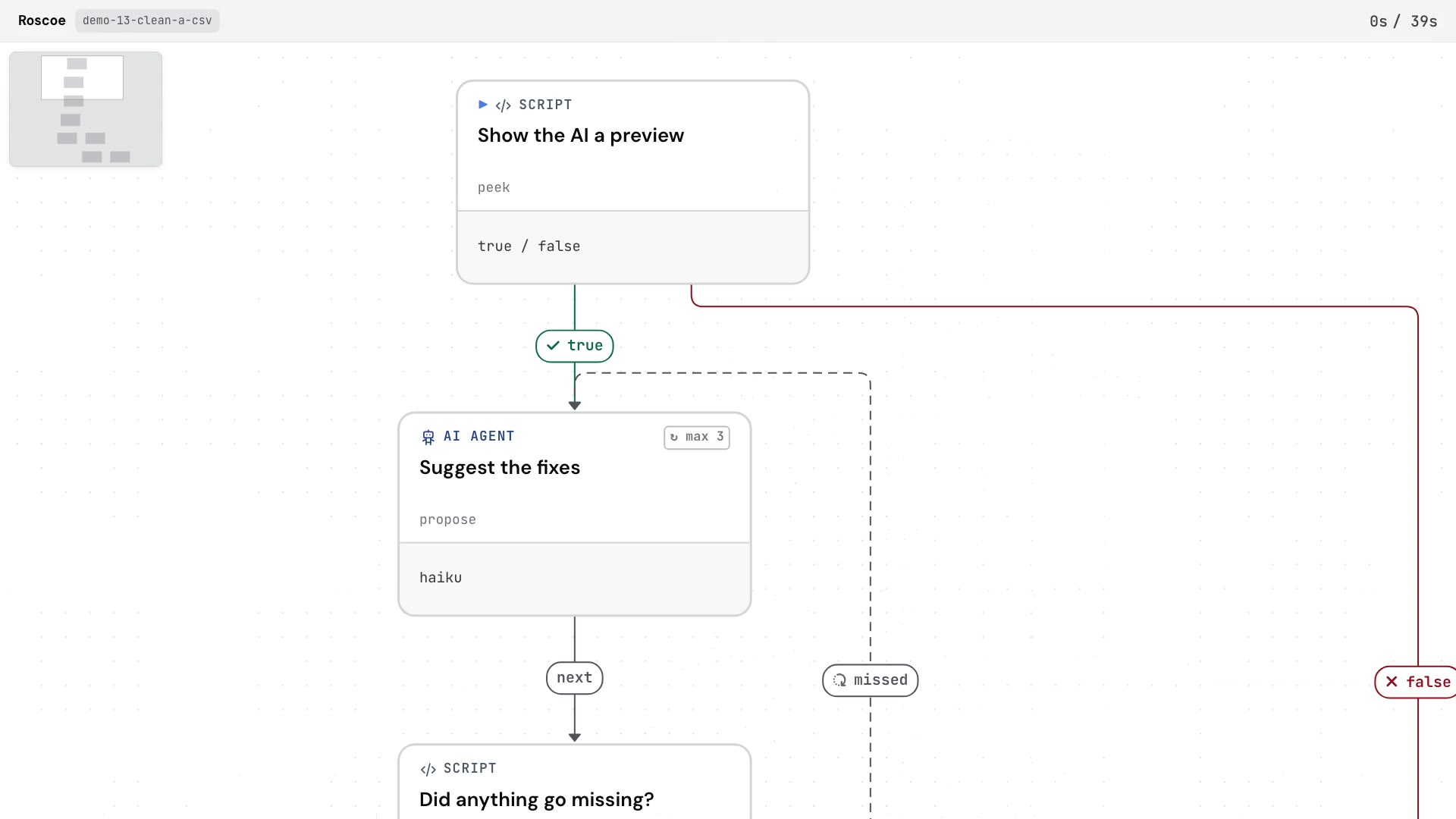
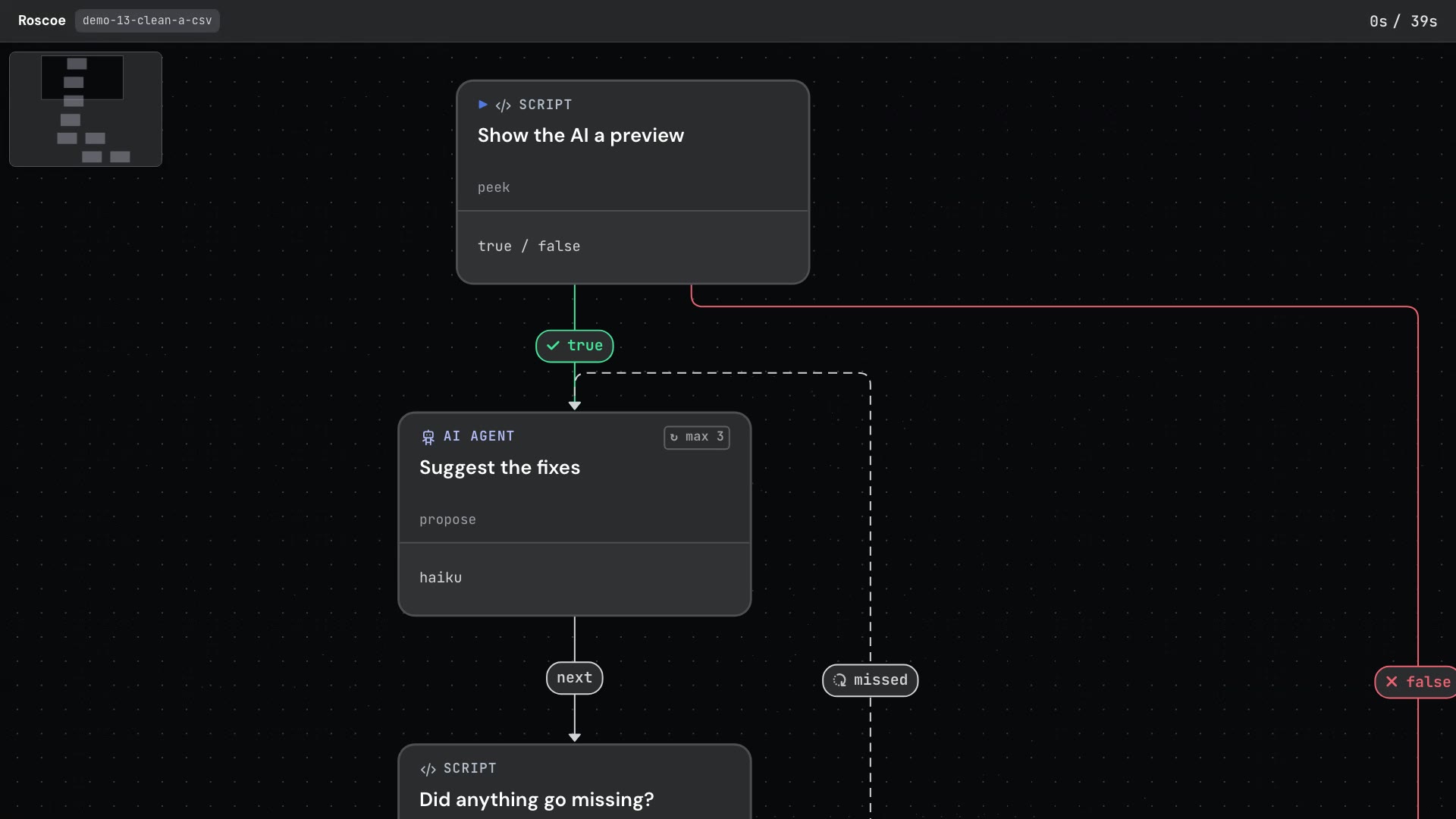
The workflow below chains the steps together.
Show the AI a previewScript
Shows the AI the header and the first 15 rows, the way you'd show someone a sample of a long file.
Suggest the fixesAI
The only AI step, on Haiku. It suggests fixes as a list, only for spellings it can see, and never writes out rows.
Did anything go missing?Script
Applies the list to every row of the whole file and runs the five checks. If anything is off, it sends the AI back with a note saying what's missing, for 3 tries at most.
Approve the fixes?You
The run pauses on every fix and the rows it touches, and you choose to write the cleaned file or keep the original.
Write the cleaned fileScript
Counts everything again, prints a before-and-after table and the cleaned file to copy. It saves nothing to disk.
On the sample, the AI's first list had 9 fixes, every one for a spelling in the preview. The check applied it to all 40 rows and came back with "40 rows in, 40 rows out, but 4 spellings in Ship State have no fix yet (try 1 of 3)".
The four were "Conn.", "R.I.", "Ore" and "Wash.", on sample orders to New Haven, Hartford, Providence, Eugene and Vancouver, all further down the file than the preview. That failure was the preview's doing, by design. The AI couldn't fix spellings it was never shown.
With that note, the AI's second list kept the first 9 fixes and added the missing four, "Wash." becoming WA among them. This time the check on the sample read "40 rows in, 40 rows out on try 2: totals unchanged (Items 128, Order Total $3,646.18), no other cell changed, and every Ship State is on the list".
After the pause, the last script's table for the sample matched on rows and totals, and no cell outside Ship State changed. The sample run cost $0.0623 as the run recorded it, an estimate at list prices rather than a charge.
| Check | Your file | Cleaned file |
|---|---|---|
| Rows | 40 | 40 |
| Items, added up | 128 | 128 |
| Order Total, added up | $3,646.18 | $3,646.18 |
| Different spellings in Ship State | 25 | 15 |
| Rows with a Ship State not on the list | 25 | 0 |
The pause lists what the counts prove, then says they can't prove each fix is right, and asks you to look at "Wash." on the order to Vancouver. Is that Washington state or British Columbia? WA is on the list, so it passes every check either way. Roscoe's docs name manual data review as the kind of job a pause for a person is for. In the run, the person chose to write the file.
“Let the AI suggest the fixes. Don't let it hand back the rows.”
If that Vancouver order went to British Columbia, WA is wrong and every check still passes, so the person at the pause is the only guard on it.
The usual shortcut is to ask the AI for a cleaning script instead. That's the same split, and it still needs the counting. On Roscoe's benchmark, a Haiku agent that used its own code tools on all 30 runs of an 80-operation task reached the correct final answer about 1 time in 3. Stronger models on their own reach about 100%. One wrong run announced "Perfect. The script correctly processes all 80 operations."
Open it in Claude Code or Cowork and press Run on the sample export. Approve the list at the pause, and you get the row-count headline, the before-and-after table and the cleaned CSV to copy. Then paste in your own file, name the column to clean and list the values it may end up with, like product categories or department names. That makes it a workflow for any column with a fixed set of right answers. Its spending cap is $1.
Predictable workflows from unpredictable AI