Your AI-written resume should only say what you told it
Interview yourself once and approve what it wrote down. Every resume and cover letter after that is built from it and checked against it, claim by claim.
Interview yourself once and approve what it wrote down. Every resume and cover letter after that is built from it and checked against it, claim by claim.
Say you paste your resume and a job posting into a chatbot and ask for a tailored version, and what comes back reads well, with nothing to tell you which lines are yours and which the AI filled in. A July 2026 preprint tested that kind of rewrite with no checks on 25 synthetic resumes across three AI models. It found 2.48 to 5.36 detected hallucinations per resume, the paper's term for errors the AI brought in, with made-up content among them.
Reading it over won't sort that out, because a stretched claim about you reads well, and it reads best to you. The fix is in what the AI is allowed to draw from. Interview yourself once into a knowledge base and approve it. Then have every resume and cover letter picked from it, with a script copying the facts and a check tracing every claim back to it.
The AI may draw from nothing else, so you check that one file once, before anything is built from it.
The idea isn't new. Anthropic's own guide to reducing hallucinations says to have the model find a supporting quote for each claim and retract any claim it can't support. A workflow makes that happen on every document, every time.
AI help with the writing isn't the problem. A field experiment with nearly half a million jobseekers on one online labor market found that algorithmic help with the grammar and style of resumes raised hires by eight percent, with no sign employers were less satisfied. But a working paper on one freelance platform found employers paid more for tailored applications before AI chatbots arrived, and not after. Once polish is cheap, what a letter can still carry is claims that are true and specific to you.
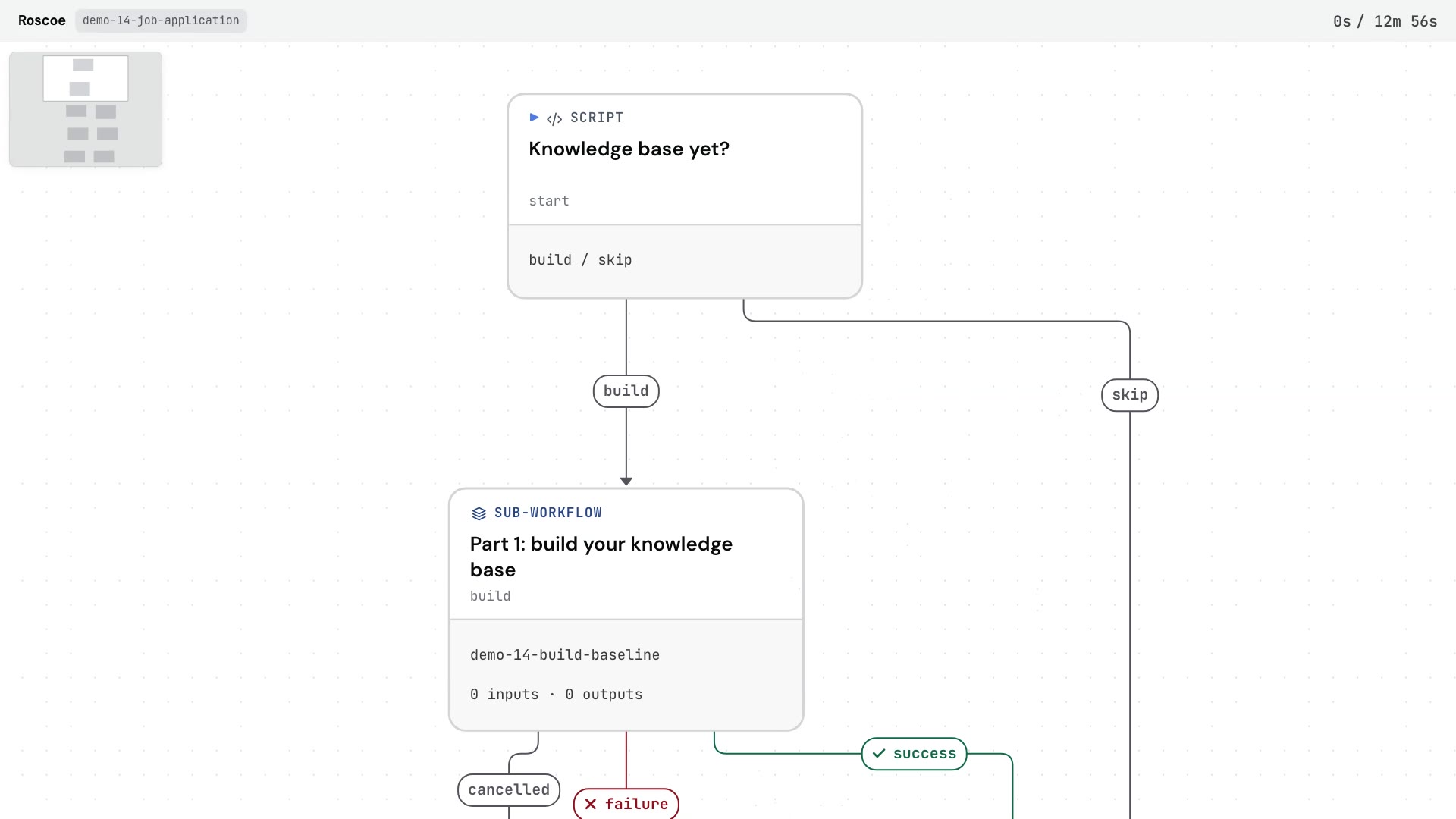
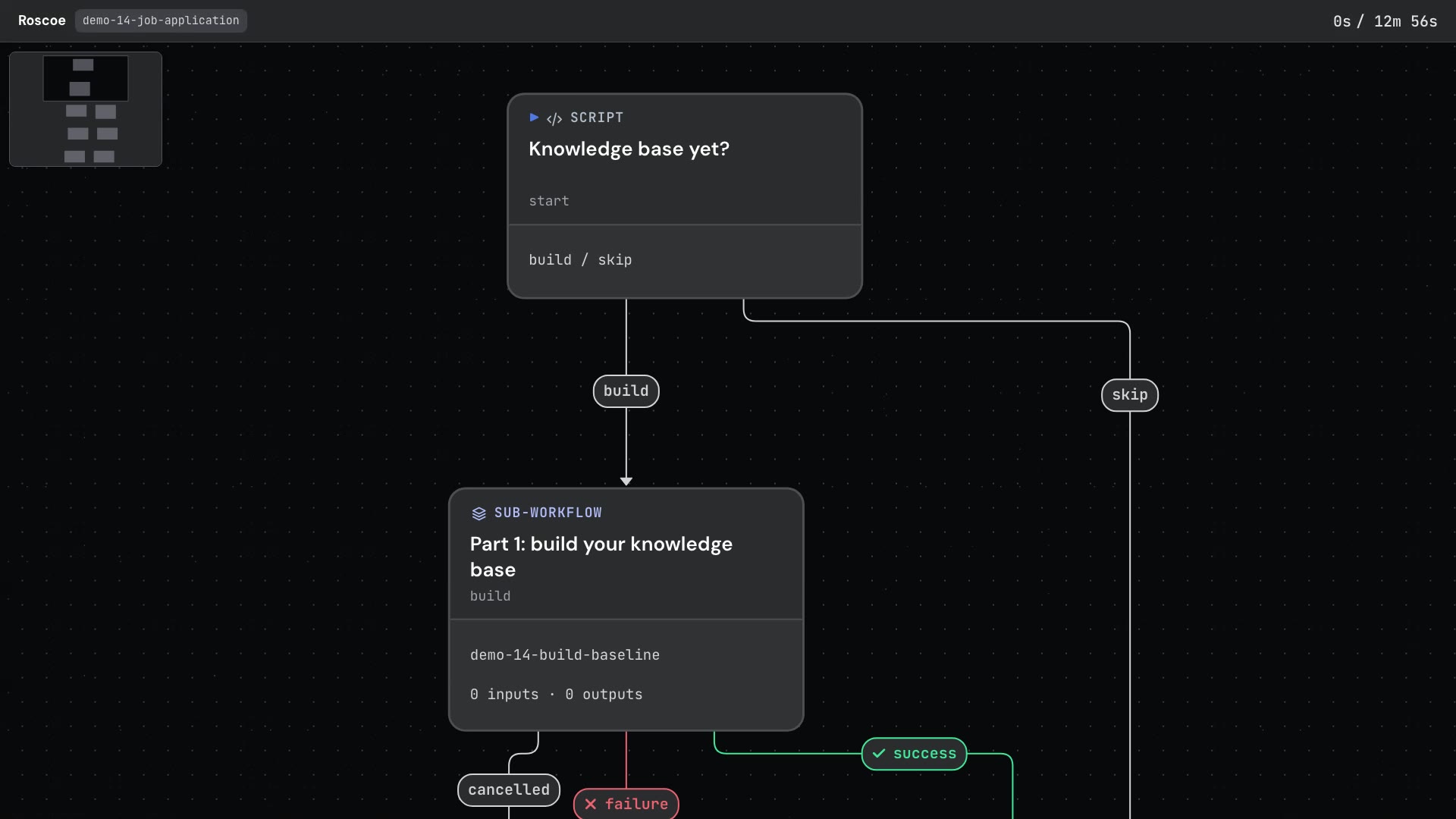
Roscoe runs this as a workflow: steps in a fixed order, some done by AI, some by you, and some by a script, which is plain code that does the same thing the same way on every run. It comes in two parts, and each part is a sub-workflow, meaning a whole workflow used as one step inside another. The job reads as a few steps, and you open a part to see its own.
The sample is a scenario. Jamie Kowalski is an inventory control supervisor at a grocery distribution centre, applying for an Inventory Operations Analyst job at Fernwell Home & Garden, and both companies are invented. The sample holds Jamie's made-up interview answers, old resume and the job posting, and the run builds the knowledge base from those. The answers go in before the run starts, typed under a list of interview questions, because a pause in a workflow offers fixed choices and can't take typed answers.
Part 1 builds the knowledge base.
In the sample, Jamie's knowledge base came out as 3 jobs, 10 facts and 7 graded skills, one per line, with each fact tied to its job by a short id:
J1 | Inventory Control Supervisor | Kellbrook Grocers, Groveport distribution center | Jan 2023 | present
F2 | J1 | Leads 3 cycle counters and researches variances for WMS adjustments.Every later step cites a fact by its id, which is how a claim in the resume gets traced back to a line here.
Part 2 applies to one posting.
MatchAI
Lists every qualification in the posting and matches each one to a fact, or marks it a gap.
Pick and wordAI
Picks which facts to use and words each bullet. It doesn't write a single date, title or employer.
Build the resumeScript
Copies every date, title and employer from the knowledge base and checks every number against the fact it cites. A bad pick goes back to the AI, and on the third failed try the bullet is dropped.
Cover letterAI
Writes the letter from the same knowledge base, naming any required gap once.
Same person?AI
A judge asks whether the resume and the letter sound like the same person.
The AI chooses and words. A script copies the facts. A check traces every claim, and you approve what it all draws from.
“The AI chooses and words. A script copies the facts. You approve what it draws from.”
The check is its own sub-workflow, so the same steps run the same way on the knowledge base, the resume and the letter. A script counts stock AI phrases, and the AI swaps any it finds for plain words. It's the same kind of check as the one in Catch the signs a draft was written by AI.
Then a fact check writes one row per claim about you: OK, not in your notes, or stretched, with the fact it rests on. Anything flagged is fixed, and the fixed text goes back through the wording pass and a fresh fact check, up to three checks in all. After that the check stops the run rather than pass a claim it can't trace. The fact check comes last because a rewrite can change a fact. It runs on Sonnet, and every other AI step runs on Haiku.
On the sample, the script's first headline caught the planted number: "1 number on the old resume isn't in your answers". It never reached the knowledge base.
| Document | First check | Flagged | Passed with |
|---|---|---|---|
| Knowledge base | 30 claims | 1 | 35 claims |
| Resume | 28 claims | 2 | 26 claims |
| Cover letter | 19 claims | 8 | 14 claims |
In the made-up sample, the knowledge base's first fact check flagged one claim. It had Jamie cutting known shrink from $57,900 to $41,300, and the answers say "Not all me, security and receiving changed things too". Once that was fixed, the knowledge base passed, and the pause was approved.
The sample resume showed where the script stops. Its summary claimed that same shrink drop as Jamie's achievement. The numbers matched the fact, so the script let it through, and the fact check marked it stretched.
Among the letter's flagged claims was "almost nine years": the notes give dates but never state that number, and the check counts a number worked out from them as untraced. Once fixed, it named the gap plainly: "I know SQL is required for this role, and my SQL skills are light right now."
The check on whether both sound like the same person didn't pass, so the run's final table flags the pair to read side by side. In the sample, the letter says Jamie leads three cycle counters, and the resume never says so for the current job.
It ended on "Application ready: resume and cover letter, 40 claims, all traced to your notes, and every line read back from the PDF". The run rendered both documents and read every line back, 23 of 23 lines on the resume and 7 of 7 on the letter. That matters because in 2019, 99 percent of Fortune 500 firms used applicant tracking software, by Jobscan's count, so the words have to come out of the file the way they went in.
The sample run took 12 minutes 56 seconds, including the approval pause, and cost $1.3764, a subscription-equivalent estimate at list price, not a bill.
Unlike the sample, these counts come from real use. The workflows this demo is based on run on Opus and Sonnet, and have 8 completed applications behind them. Their check ran 45 times inside other workflows, and in 18 of those runs the first fact check sent the document back. They also fact-checked a second time after the wording pass, and that second check never found a changed fact in the 45 runs. The demo still fact-checks after every rewrite, as insurance that hasn't paid out yet.
The AI still writes the wording, and the fact check that reads it is an AI too, which can miss. The fact check's own instructions in those workflows record a miss it used to make: a skill that merely appeared in a list was treated as permission to claim it loudly. Anthropic's guide says these techniques reduce hallucinations but don't eliminate them.
And the workflow can only hold your documents to what you told it. If an answer is wrong or inflated, so is the knowledge base, and so is everything built from it. That's why the approval at the pause is the step that matters most. The sample is a scenario with one planted flaw, so the run shows how the steps work, not how often real resumes are inflated.
Two things sit outside the sample. The PDF step needs the free tools pandoc and Typst installed on the computer running it, plus pdftotext to read the PDF back, and without them the step says it skipped and why. Company research isn't in the demo because it needs the web, which a step can reach only when the run is driven from Claude Code or Cowork.
Download it and run it from Claude Code or Cowork. Press Run on the scenario and approve the knowledge base when the run pauses, and you get the application table, the resume and the cover letter, under a $3 spending cap. Then paste in your own answers and a real posting. Next time, paste in the knowledge base it printed and it skips straight to applying.
Predictable workflows from unpredictable AI